
1. Online Log
In the online log, you can check member working hours and user status change history.Weekly Report
The weekly report allows you to check the login time for each user over a week.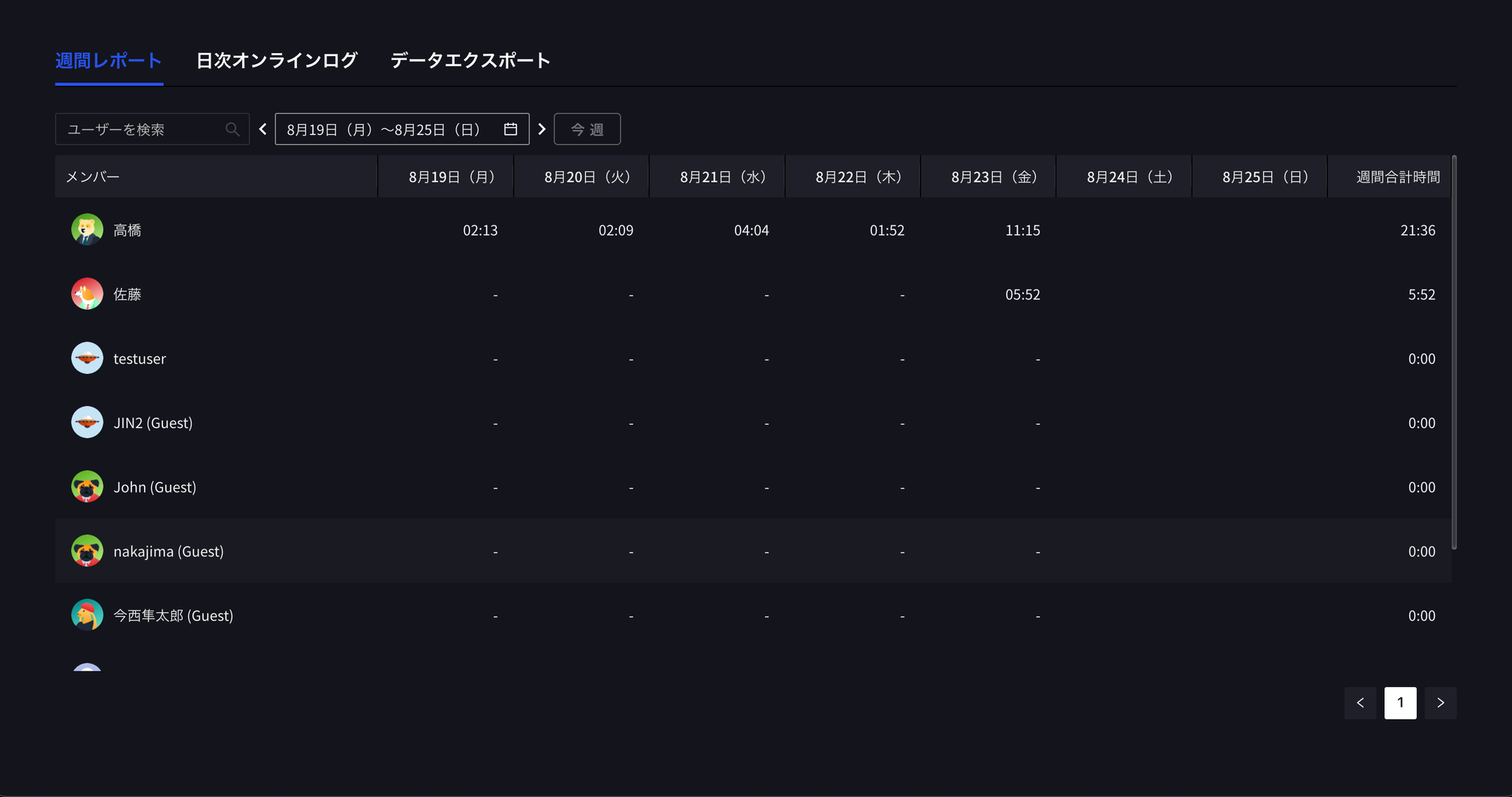
Daily Online Log
This is the history of user status changes for a user in one day.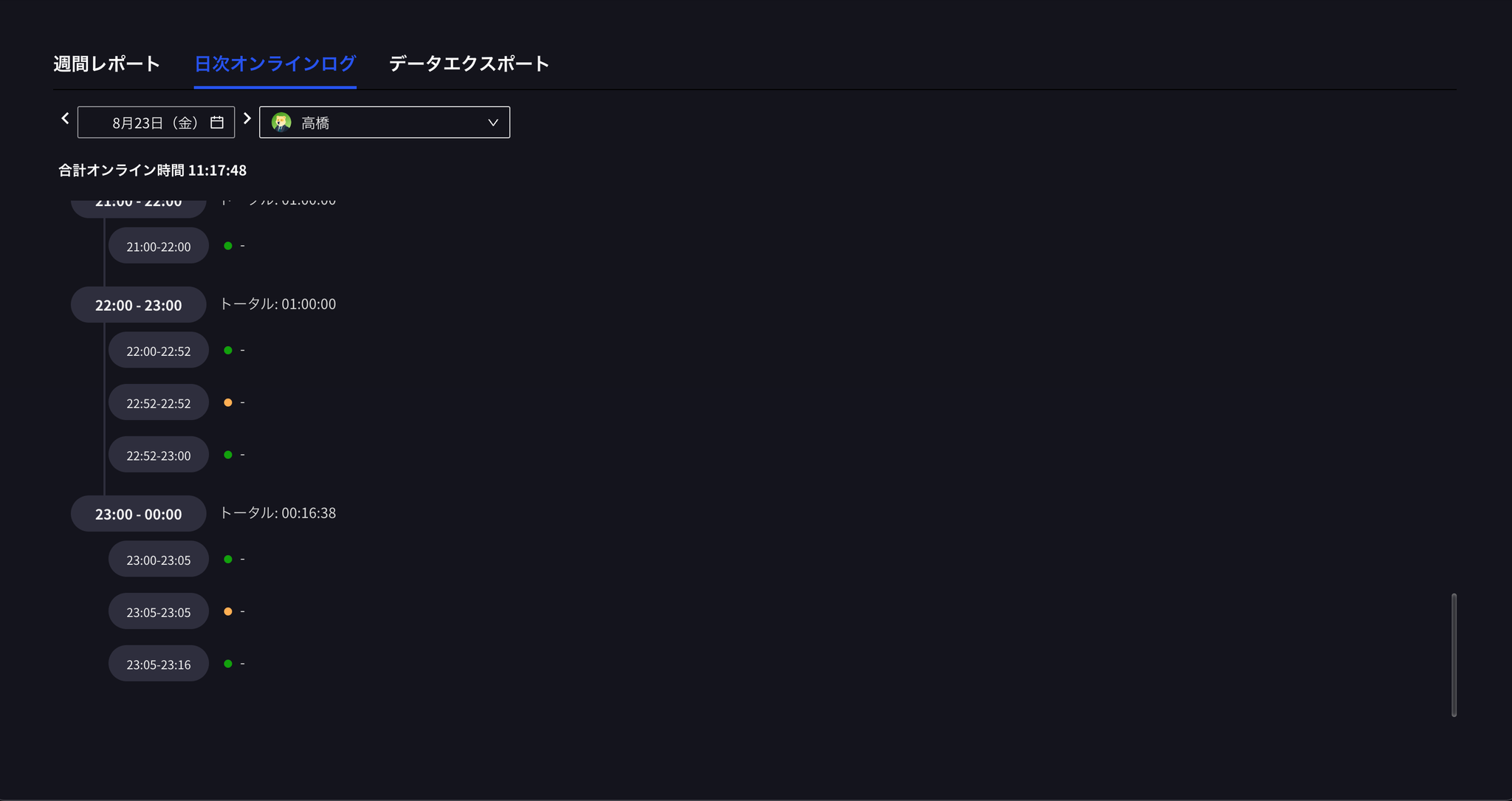
2. Work Log
You can check member work time and content (such as screenshots) by project.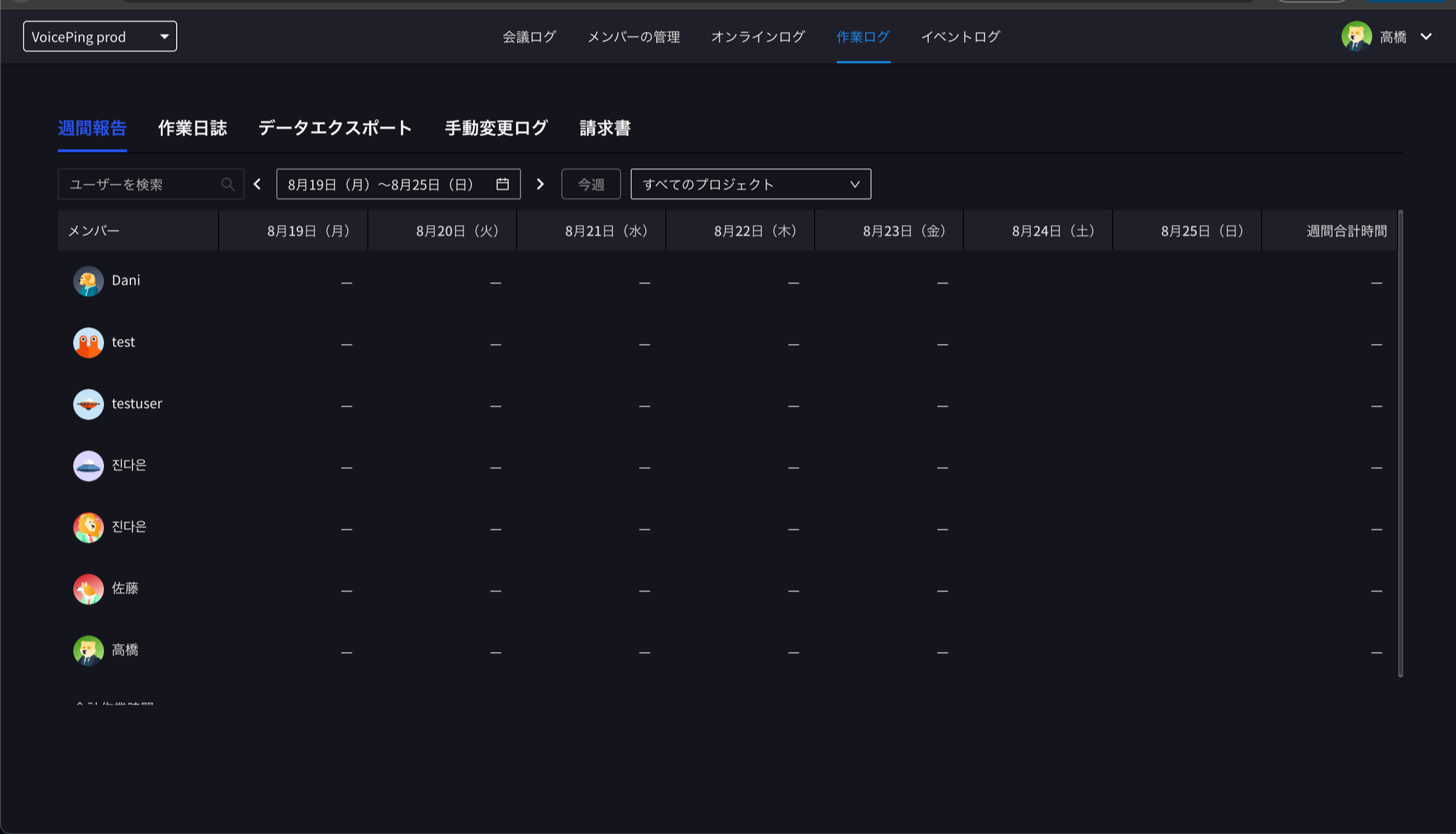
Check Deletion/Change History of Each Member’s Work Diary
You can check the deletion/change history of members’ work diaries from “Work Log” - “Manual Change Log”.
## Official Links