
This is a paid plan feature. If you are using the free plan, please upgrade your plan.
Types of Dictionary Features
| Type | Description |
|---|---|
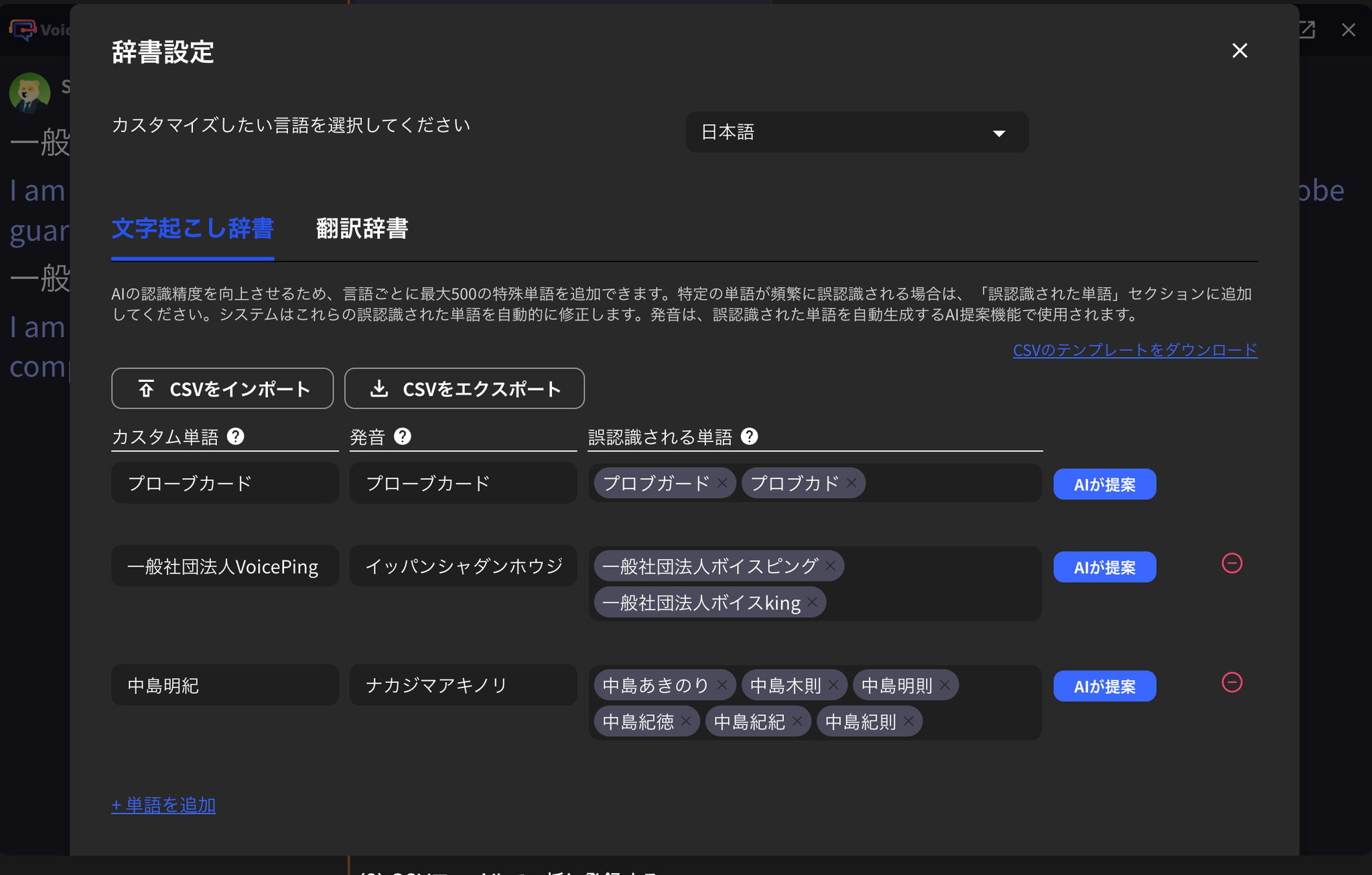
| Transcription Dictionary | A dictionary for correctly transcribing words by registering word notation and pronunciation (katakana pronunciation). By registering words that are misrecognized, you can forcibly convert displayed transcriptions. |
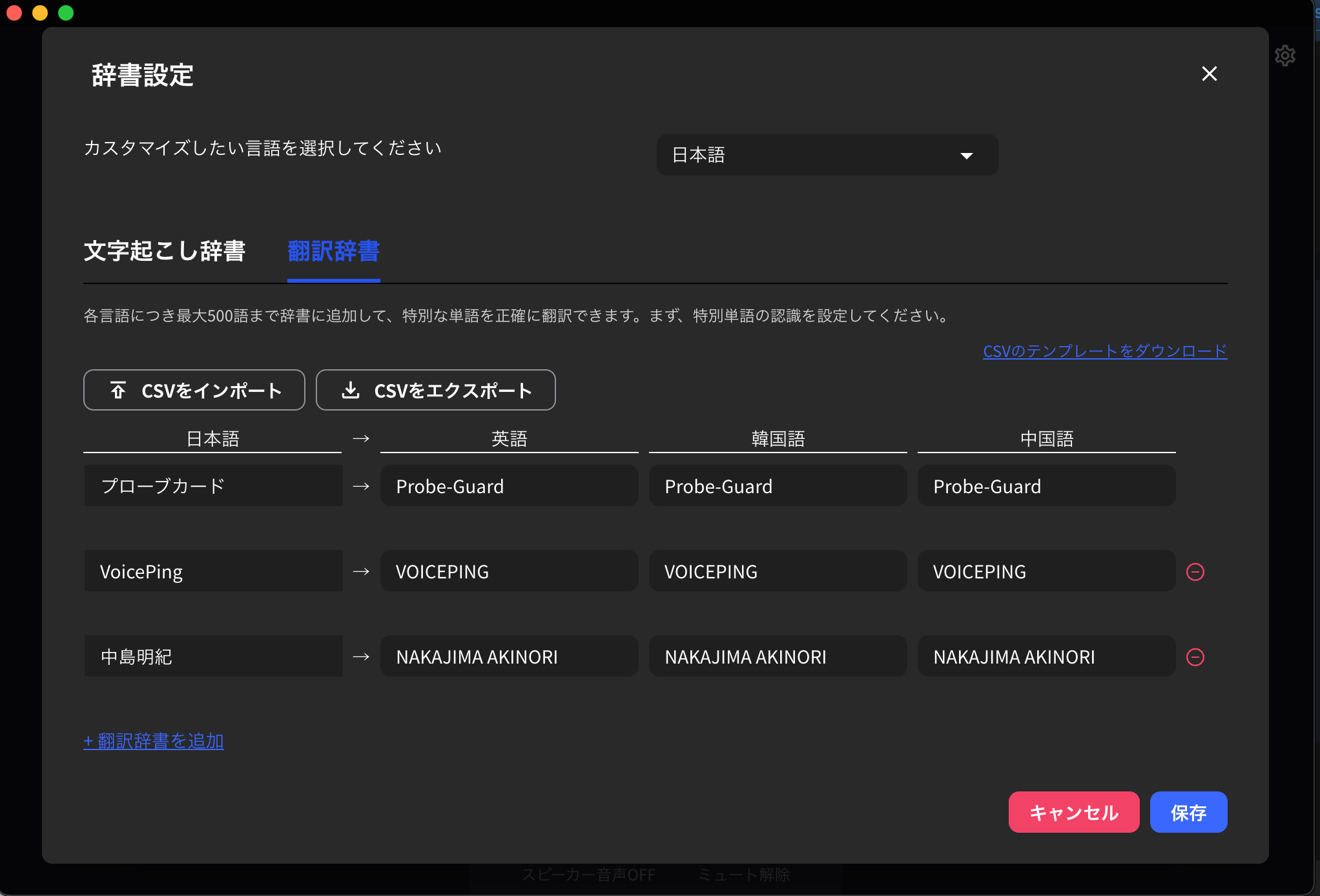
| Translation Dictionary | A dictionary for appropriately translating words registered in the transcription dictionary into other languages. |

How to Use the Transcription Dictionary
1. Open the Dictionary Feature
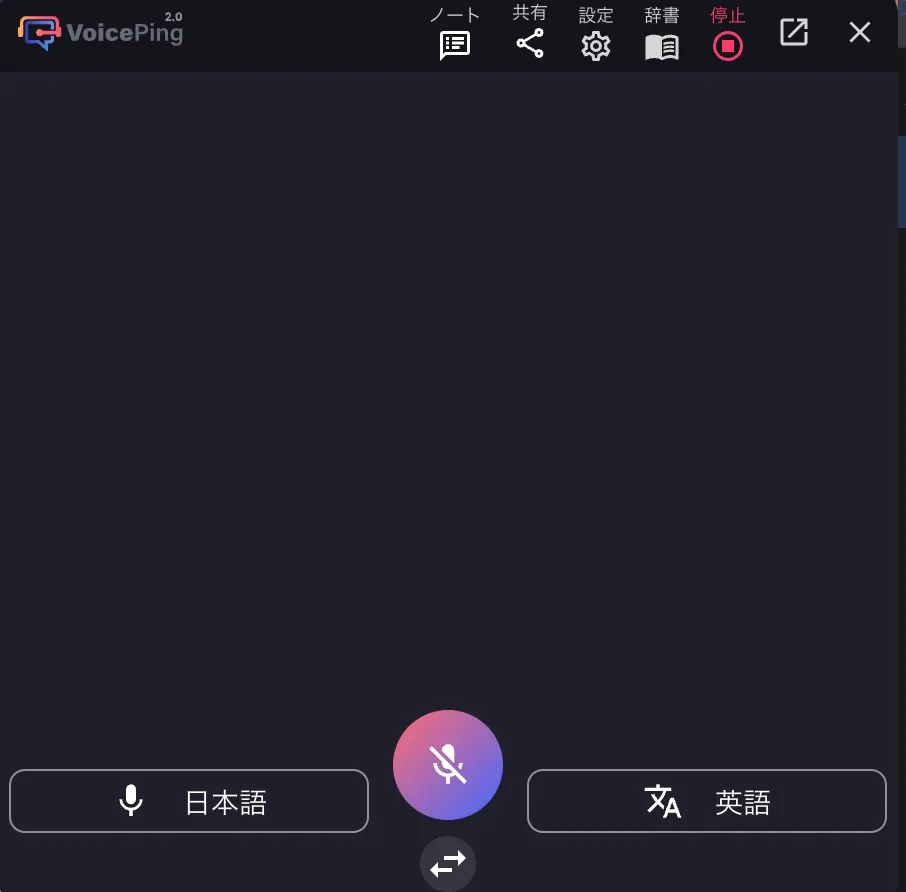
After starting transcription/translation, click the dictionary icon in the top right2. Register Words
Register from the Screen
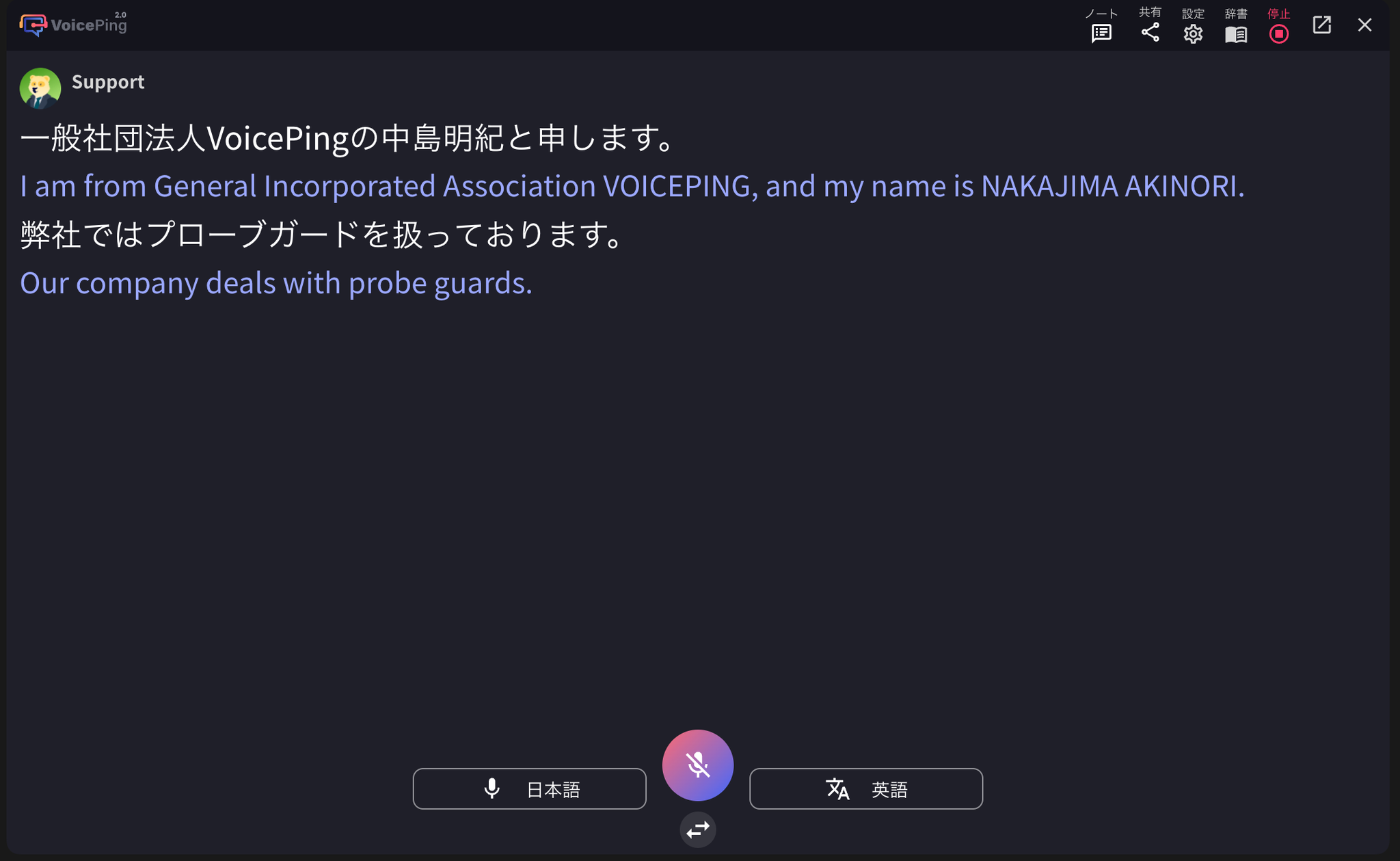
Enter custom words and pronunciation, and check the actual transcription results. Then, enter the incorrectly transcribed word in “Misrecognized Word”.

Batch Register with CSV File
- Download the CSV template.
- In the template, enter the word “Display” and “Reading” in “Custom Word” and “Misrecognized Word” respectively, then save the file.
- Upload the created file from “Import CSV”.

- Press the “Save” button to complete registration.
How to Use the Translation Dictionary
Adding a Single Word
Click the translation dictionary tab and set words for each language. If you want to use languages other than the default Japanese, English, Korean, and Chinese, change the workspace settings language.Batch Register with CSV File
- Download the CSV template.
- In the template, enter the notation for each language and save the file.
- Upload the created file from “Import CSV”.
- Press the “Save” button to complete registration.