
- Only workspace owners & managers can invite members.
- Members invited via email & URL should install the app after registering according to the instructions here.
- There are 3 ways to invite new members to your VoicePing workspace. Choose the appropriate method based on your purpose.
1. Invitation Method (Translation Mode)
Please refer to this video to invite members and managers.2. Invitation Method (Virtual Office)
Invite to Workspace
Use this when you want to assign members to specific projects/groups or determine access permissions simultaneously with invitation.- With the above method, you can place members in advance in specific projects or groups to manage work and record attendance.
- If you create multiple floors with the above method, you can invite new members to specific floors only.
- If you invite with “Enable Web App” turned ON, that member will be able to use VoicePing in a browser as well.
Invite via URL
Use this when you first allow access to all floors and then decide member permissions and group management later.- Click “Invite Members”
- Click “Invite via URL”
- Set validity period and issue link
- Copy link and share with members you want to invite
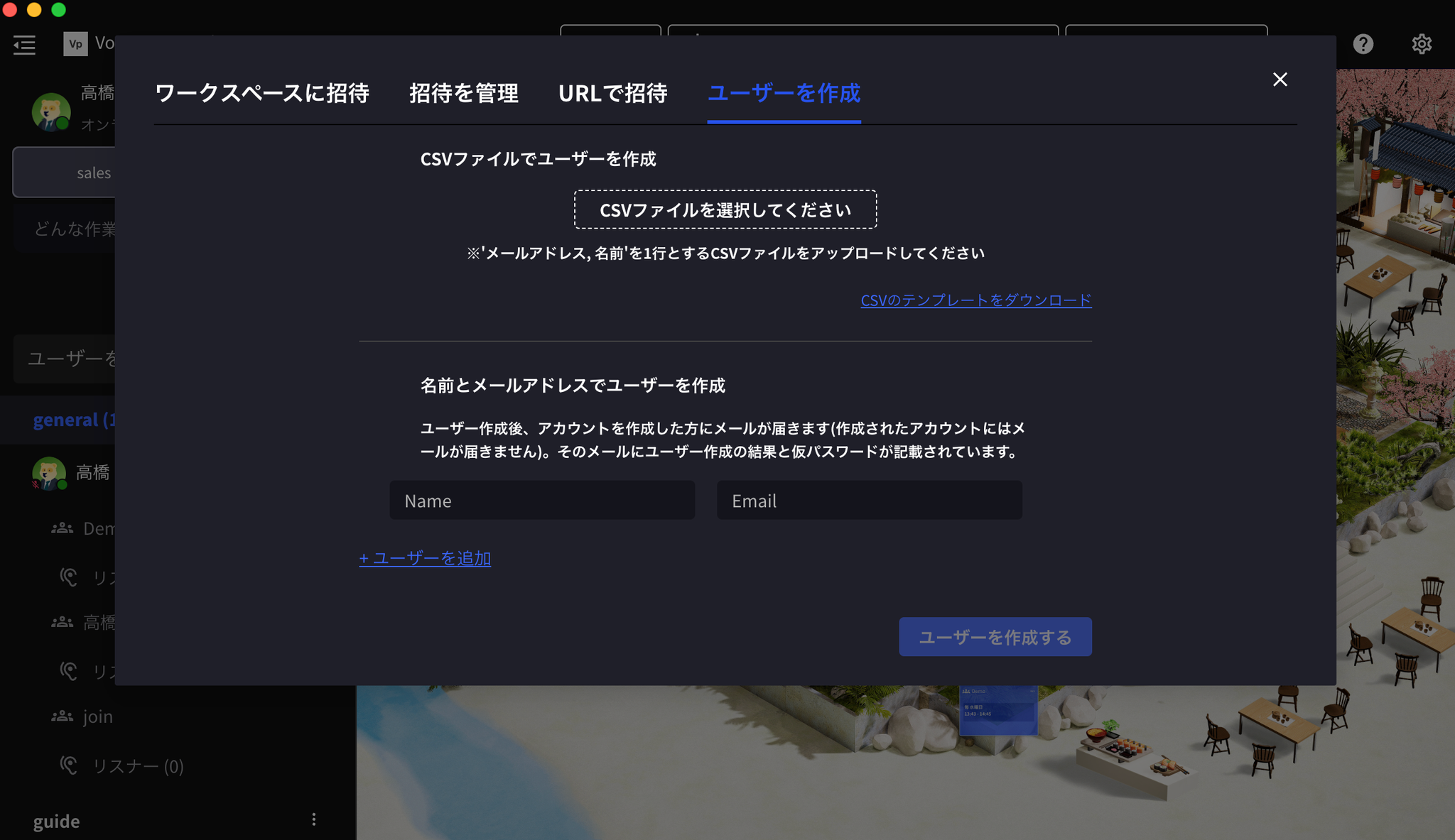
Create User
A method where you issue a temporary password and new members can log in immediately (bulk creation via CSV is also possible).- Click “Invite Members”
- Click “Create User”
- Enter name and email address of member to invite
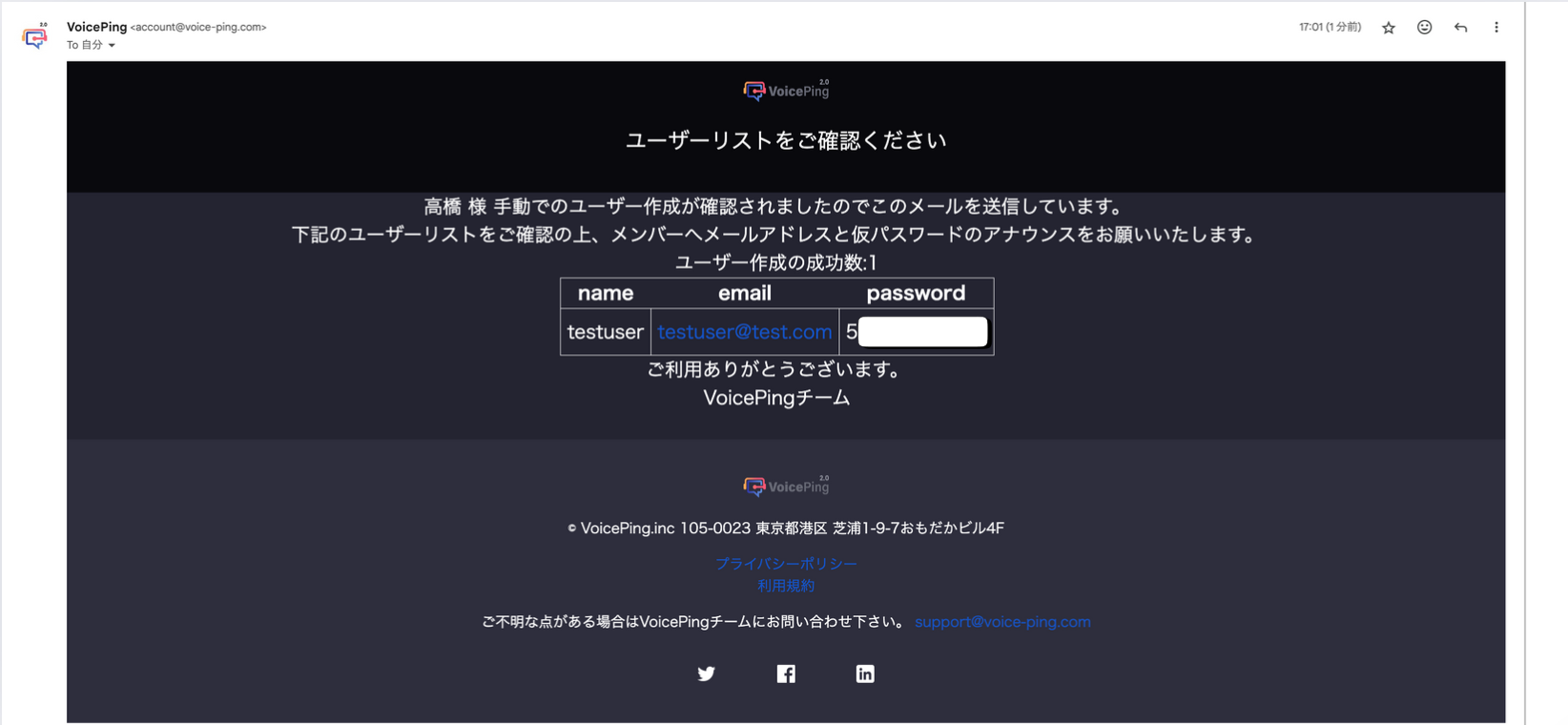
- The following information will be sent to the workspace manager’s email. Communicate the email address and temporary password to the member you’re inviting.
3. Disable/Enable Two-Factor Authentication
It is enabled by default.
You can enhance security when inviting new users by enabling two-factor authentication using email from [Settings] > [Workspace].
- If a member receives an invitation email in a workspace with two-factor authentication enabled, they will need to go through email authentication when joining. Therefore, new members can only register with the invited email address and cannot register with other email addresses.
- As an exception, if a user joins the workspace using an Apple account or Google account, they do not need to go through two-factor authentication.