
When Guests Cannot Enter Properly
If you cannot hear audio or the camera is not working, please check your microphone and camera settings.1. Allow Camera and Microphone Access in the Browser
- Confirm that the speaker is turned ON
- If pressing “Start Microphone/Video” does not take effect, click the “lock” icon on the left side of the URL and select “Allow” from the dropdown menu next to “Camera” and “Microphone”
2. Check Browser Microphone/Camera Settings
- Click the three-dot menu in the upper right corner
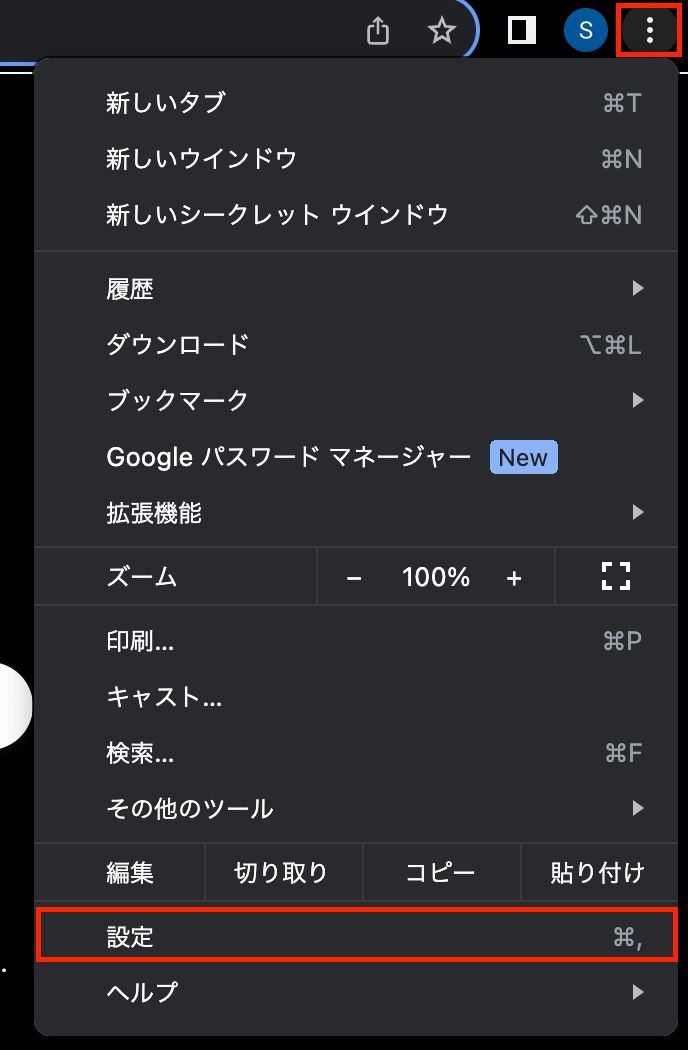
- Select the “Privacy and Security” tab and click “Site Settings”
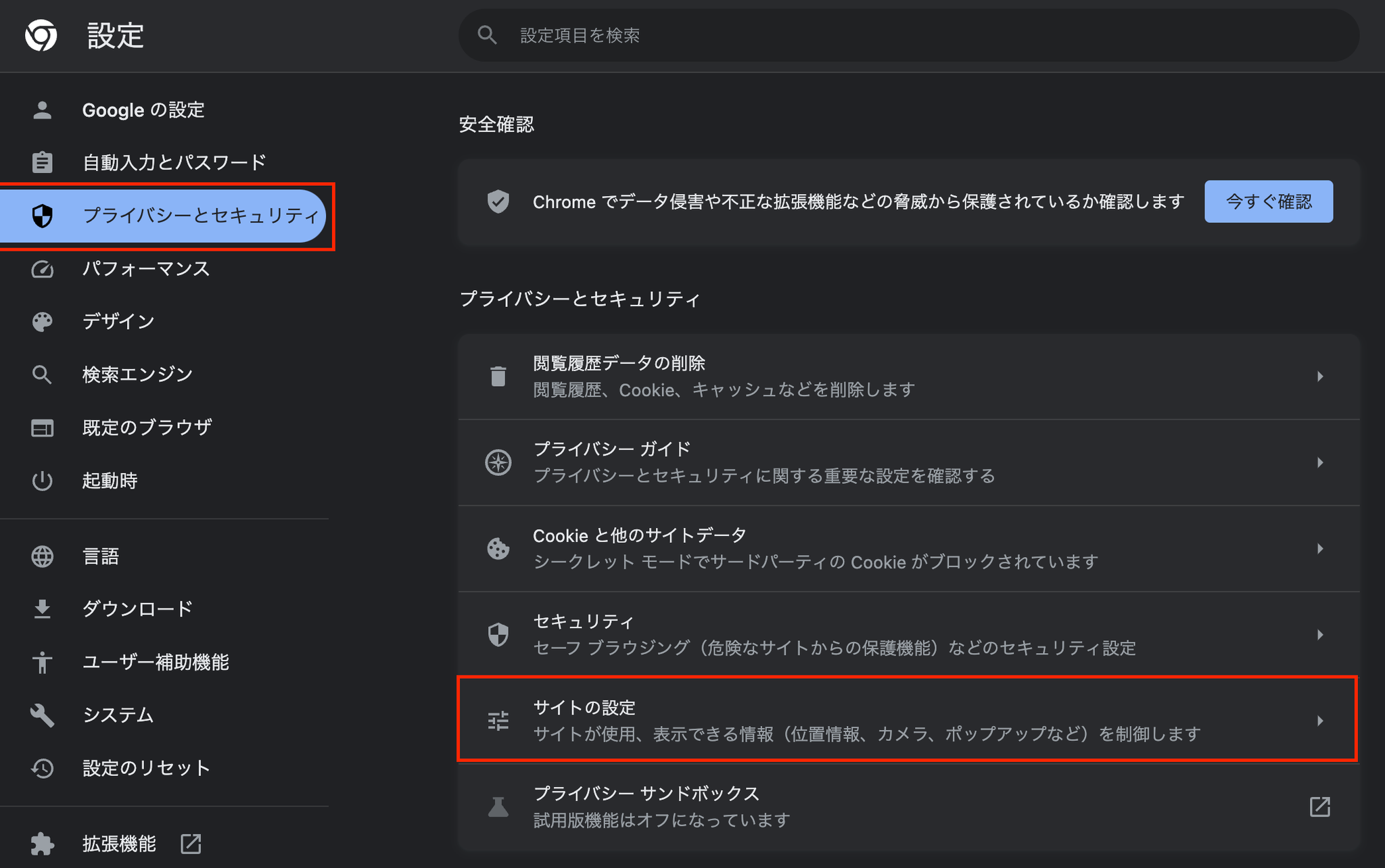
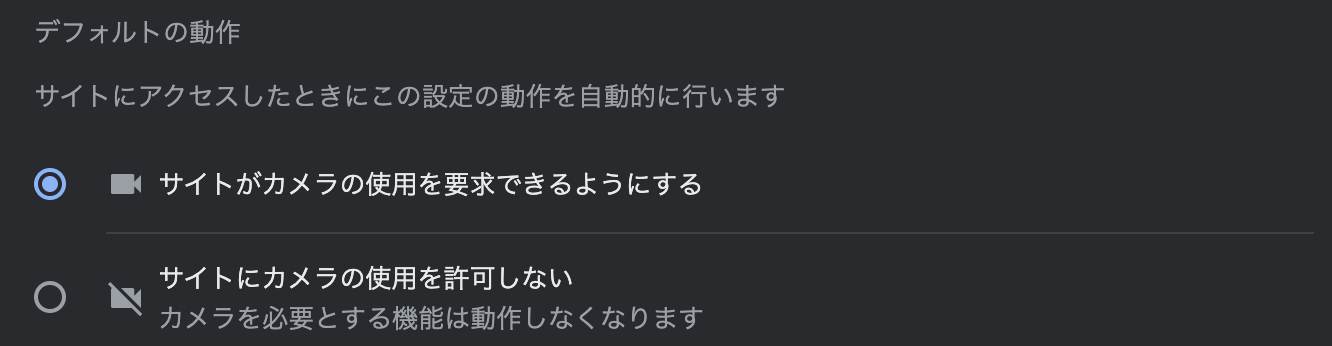
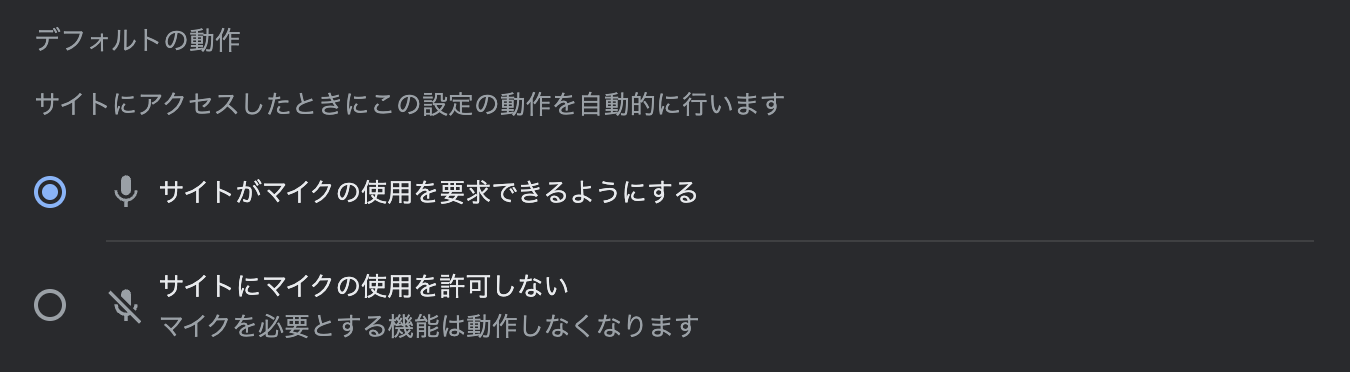
- Select camera and microphone permissions respectively

- Turn on camera permission confirmation. If it is already on, turn it off once and then turn it back on.
- Turn on microphone permission confirmation. If it is already on, turn it off once and then turn it back on.
- Check if app.voice-ping.com is listed as one of the blocked sites If it is listed, click on the site name and change “Camera” and “Microphone” access to “Allow”

