
အသုံးပြုနည်း
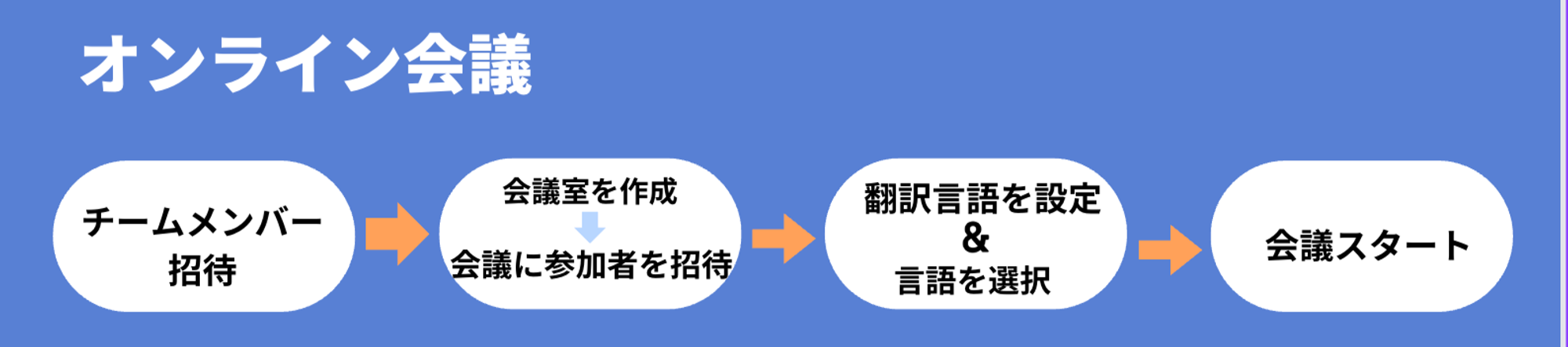
1. Team Members များ ဖိတ်ကြားခြင်း
သင့် company မှ လူများကို VoicePing workspace သို့ ဖိတ်ကြားရန် နည်းလမ်း ၃ ခု ရှိပါသည်။- ဖိတ်ကြားချိန်တွင် members များကို projects/groups သို့ assign လုပ်ပြီး permissions သတ်မှတ်လိုပါက “Invite to Workspace” မှ invitation email ပို့ပါ။
- Floors အားလုံးသို့ ဝင်ရောက်ခွင့်ပြုပြီး member permissions နှင့် groups များ နောက်မှ စီမံခန့်ခွဲလိုပါက “Invite via URL” အသုံးပြုပါ။
- Administrator က accounts ဖန်တီးလိုပါက “Create User” မှ CSV file upload လုပ်ပါ သို့မဟုတ် member names နှင့် email addresses ထည့်သွင်းပါ။
2. Meeting Room ဖန်တီးခြင်း
3. Translation Languages သတ်မှတ်ခြင်း
“Settings” မှ translation languages သတ်မှတ်ပါ (အများဆုံး ၄ ခု ရွေးချယ်နိုင်)4. Language ရွေးချယ်ခြင်း
Chat box မှ speaking language နှင့် display language ကို ရွေးချယ်ပါ။5. Members များကို Meeting Room သို့ ဖိတ်ကြားခြင်း
ပြင်ပ Guests များနှင့် Translation URL Share ခြင်း
ပြင်ပ Guests များကို Meeting Room သို့ ဖိတ်ကြားခြင်း
အောက်ပါ video guide တွင် ပြထားသည့်အတိုင်း meeting room URL ကူးယူပြီး ပြင်ပသို့ share ခြင်းဖြင့်လည်း guest participation ခွင့်ပြုနိုင်ပါသည်။ဆက်စပ် Features များ
Join Notifications
ဤ feature ဖွင့်ထားသောအခါ meeting room သို့ ဝင်ရောက်သောအခါ participants များထံ join notification ရရှိပါသည်။Meeting Minutes စစ်ဆေးခြင်း
Meeting room ၏ ဘယ်ဘက်အပေါ်ရှိ “Meeting Log” icon ကို နှိပ်ပြီး browser တွင် [Meeting Log] > [Transcription] မှ meeting minutes ကြည့်ရှုနိုင်ပါသည်။Files & Logs များ Workspace သို့ Share ခြင်း
Recordings, logs စသည်တို့ share လုပ်ရန် custom object feature ကို အသုံးပြုပါ။ Content URL သို့မဟုတ် file ကို custom object သို့ paste လုပ်ရုံဖြင့် ပြီးဆုံးပါသည်။Dictionary Feature: Technical Terms & Custom Phrase Word Registration
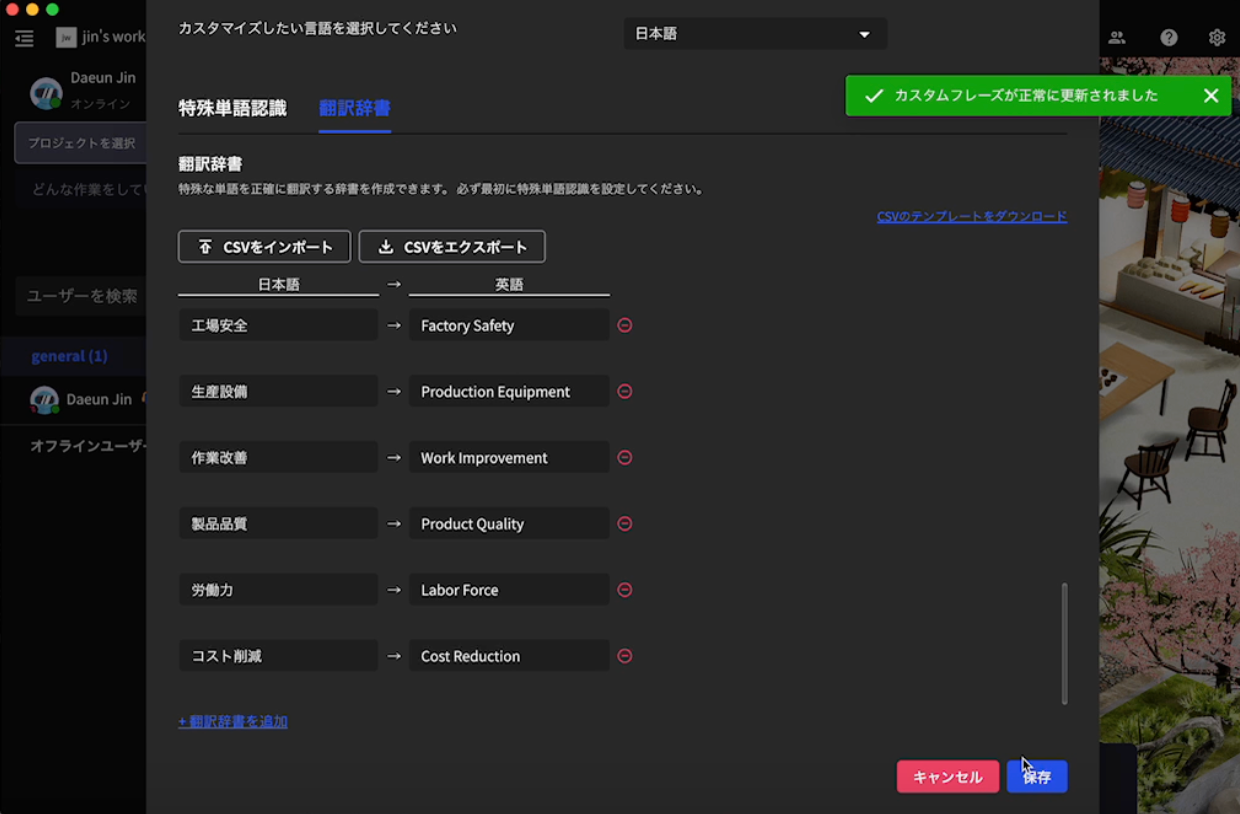
Technical terms နှင့် users ၏ custom phrases များကို တိကျစွာ recognize လုပ်ပြီး အခြား languages သို့ translation ပံ့ပိုးသော special word recognition features နှင့် translation dictionaries လည်း register လုပ်နိုင်ပါသည်။ အသေးစိတ်အတွက် Dictionary Feature ကို ကြည့်ပါ။Transcription Consumption Time Method အကြောင်း
Transcription Consumption Time MethodTranscription time ကို members နှင့် guests အားလုံး အသုံးပြုသော စုစုပေါင်း consumption time အဖြစ် တွက်ချက်ပါသည်။ဥပမာ: Small plan 600 မိနစ်
- A: 30 မိနစ် အသုံးပြုပြီး
- B: 40 မိနစ် အသုံးပြုပြီး
- C (guest): 25 မိနစ် အသုံးပြုပြီး